Multi-Pose Generation: The Easy Way to Create Multiple Model Poses

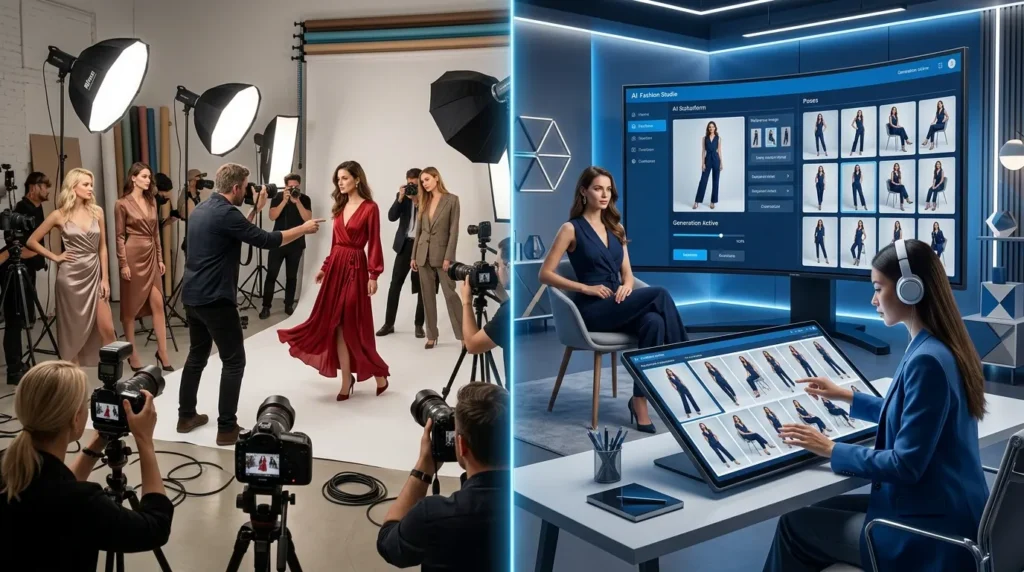
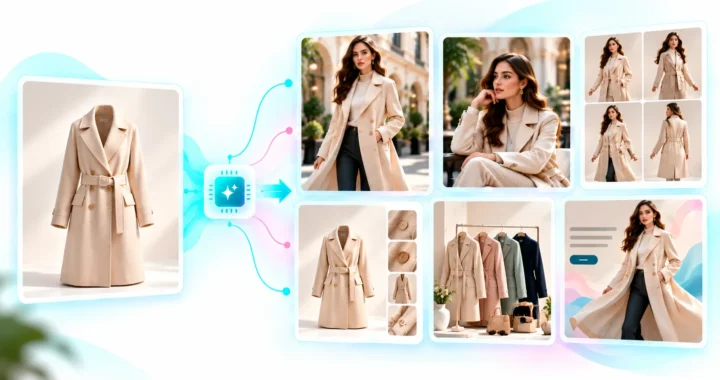
Multi-Pose Generation helps fashion brands create multiple realistic model poses from a single image using artificial intelligence. Instead of organizing multiple photoshoots, AI generates standing, sitting, walking, side-view, and custom poses while preserving the same apparel, styling, lighting, and visual quality.
Key Takeaways
- Generate multiple model poses from one image.
- Reduce expensive fashion photoshoots.
- Maintain consistent styling and lighting.
- Create richer ecommerce product galleries.
- Produce marketing-ready fashion images faster.
Why Fashion Brands Need More Than One Pose
Customers rarely purchase clothing after seeing just one photograph.
They want to understand:
- How the garment fits
- How it looks from different angles
- How the fabric moves
- How the clothing drapes
- How it appears while standing or walking
The more realistic views customers see, the more confident they become in making a purchase. Traditionally, this requires photographing every pose separately. For brands with hundreds or thousands of products, this quickly becomes one of the biggest production expenses.
The Challenges of Traditional Fashion Photoshoots
Creating multiple poses isn’t simply asking the model to move.
Each additional pose requires:
- More studio time
- More photographer effort
- Additional model hours
- Extra lighting adjustments
- More image selection
- Additional retouching
- Higher production costs
Even after completing a photoshoot, brands often realize they need more images for:
- Social media
- Product pages
- Advertisements
- Seasonal campaigns
- Email marketing
- Marketplace listings
By then, scheduling another photoshoot becomes both expensive and time-consuming.
What Is Multi-Pose Generation?
Multi-Pose Generation is an AI-powered feature inside the LovPics AI Fashion Studio that creates multiple realistic pose variations from a single fashion image. Simply upload one model photograph.
The AI intelligently generates new poses while preserving:
- Clothing details
- Fabric texture
- Product fit
- Lighting
- Shadows
- Styling
- Model appearance
- Overall image quality
The result is a complete collection of fashion-ready images without requiring additional photography.
Why Multi-Pose Generation Changes Fashion Photography
Artificial intelligence removes one of the biggest limitations of traditional fashion photography.
Instead of planning every possible pose during the photoshoot, brands can generate additional poses whenever needed.
Key advantages include:
- Lower photography costs
- Faster catalog production
- Greater creative flexibility
- Consistent product presentation
- More engaging ecommerce galleries
- Better marketing content
- Improved customer confidence
- Faster campaign launches
One original image can now become dozens of professional marketing assets.
Introducing the POSES Framework™
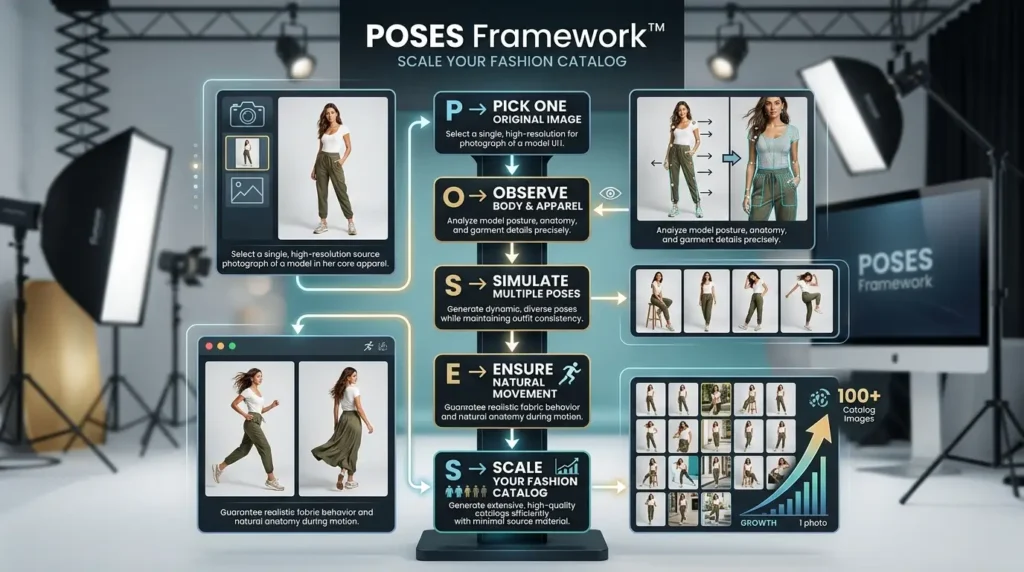
At LovPics, we believe one great fashion photograph should generate an entire collection of marketing assets. The POSES Framework™ helps brands create realistic pose variations while maintaining complete visual consistency.
P – Pick One Original Image
Begin with one clear, high-quality fashion photograph showing the apparel.
O – Observe Body & Apparel
AI analyzes body position, clothing fit, fabric movement, lighting, and composition.
S – Simulate Multiple Poses
Generate realistic standing, walking, sitting, side-view, back-view, or custom poses.
E – Ensure Natural Movement
Artificial intelligence recreates realistic posture, fabric draping, folds, shadows, and movement.
S – Scale Your Fashion Catalog
Export multiple pose variations for ecommerce, advertising, social media, and marketing campaigns.
Related LovPics AI Solutions
- AI Video Gen: Use property images as visual references and create motion-led video segments with custom instructions, multiple clips, different aspect ratios, music, subtitles, logos, and branded outros.
- AI Reels: AI Reels can support short-form social video workflows using concepts, storyboards, scripts, music, branding, and platform-oriented video content.
- AI Stories: For a property that needs a more narrative presentation, AI Stories can turn a narrative or script into scene-based video segments and combine them into a longer story.
- AI Banners: Property campaigns can extend beyond video into banner creatives using reference images, instructions, multiple styles, aspect ratios, and multilingual content.
- AI Posters: Property launches, open-house promotions, and campaign announcements can also be adapted into poster formats where appropriate.
- Multi-Frame 360 Generation: Where the available visual workflow is appropriate, multi-frame generation can help create rotating visual presentations. It should not be presented as a substitute for an accurate physical property tour unless the output has been carefully validated.
How Multi-Pose Generation Works
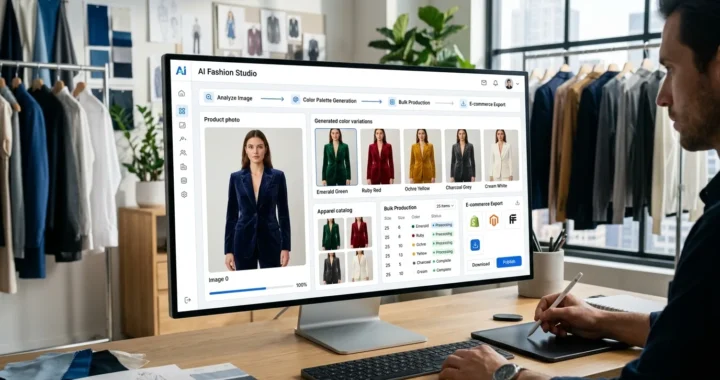
The workflow is remarkably simple. Upload a fashion image into LovPics AI Fashion Studio.
Artificial intelligence examines:
- Human anatomy
- Body proportions
- Clothing fit
- Fabric behavior
- Lighting direction
- Shadow placement
- Camera perspective
- Overall composition
Next, choose the poses you want.
You can generate:
- Standing poses
- Walking poses
- Sitting poses
- Side profiles
- Rear views
- Dynamic action poses
- Casual lifestyle poses
- Custom marketing poses
Within minutes, LovPics creates multiple realistic pose variations while maintaining complete consistency across every generated image.
Why AI Makes Fashion Content More Scalable
Traditional photography scales by increasing production resources.
AI scales by increasing possibilities. Instead of photographing every pose individually, brands can create entire product galleries from one professionally captured image.
This dramatically reduces production costs while enabling fashion businesses to publish richer catalogs, test different marketing creatives, launch seasonal campaigns faster, and continually generate fresh visual content.
As ecommerce competition continues to grow, Multi-Pose Generation helps brands produce more engaging product experiences without increasing photography budgets, giving customers the confidence to purchase while helping businesses bring collections to market much faster.
Read More Articles On AI Fashion & Apparel
Real-World Applications of Multi-Pose Generation
Modern fashion brands need more than a single product photo. Customers expect to see apparel from multiple angles and in different poses before making a purchase. Multi-Pose Generation enables brands to create diverse, realistic model poses from one image, helping increase customer confidence while reducing photography costs.
Multi-Pose Generation for Fashion Brands
Launching a new collection often requires hundreds or thousands of product images.
Multi-Pose Generation helps brands create:
- Front-view poses
- Side-view images
- Back-view photography
- Walking poses
- Lifestyle poses
- Campaign visuals
Without organizing multiple photoshoots.
Multi-Pose Generation for Ecommerce Stores
Online shoppers want to understand how clothing looks in real life.
Multi-Pose Generation allows ecommerce businesses to generate:
- Product gallery images
- Collection pages
- Category banners
- Product recommendations
- Featured collections
- Seasonal promotions
More visual variety helps customers make informed buying decisions.
Multi-Pose Generation for Apparel Manufacturers
Manufacturers frequently need marketing materials before products reach stores.
Multi-Pose Generation enables teams to create:
- Product catalogs
- Sales presentations
- Distributor brochures
- Retail marketing assets
- Collection previews
- Launch campaigns
Using only one professionally captured image.
Multi-Pose Generation for Fashion Marketing Teams
Marketing teams constantly require fresh creative assets.
Instead of scheduling additional shoots, they can generate:
- Social media campaigns
- Website banners
- Email marketing visuals
- Display advertisements
- Promotional creatives
- Product launch graphics
New content can be created within minutes while maintaining complete visual consistency.
Multi-Pose Generation for Creative Agencies
Agencies managing multiple fashion clients often produce large volumes of campaign assets. Multi-Pose Generation allows agencies to deliver multiple creative variations quickly while reducing production costs and shortening project timelines.
Multi-Pose Generation Across the LovPics Workflow
The true value of Multi-Pose Generation comes from its seamless integration with the complete LovPics AI Fashion Studio. Rather than creating pose variations in isolation, it works alongside other AI-powered fashion tools to build complete marketing-ready catalogs.
Multi-Pose Generation integrates with:
- AI Fashion Studio
- Apparel Color Switch
- AI Creative Director
- AI Photoshoot
- Smart Image Editing
- AI Retouch
- Reusable Templates
- AI Media Manager
- AI Product Photography
- Bulk Image Export
Together, these tools transform one fashion image into a complete collection of ecommerce, advertising, and social media assets.
Common Mistakes When Creating Fashion Product Images
Capturing Too Few Poses
Many brands photograph only one or two poses for each product. Customers often hesitate to purchase because they cannot fully understand the garment’s appearance. Multiple pose variations provide a richer shopping experience.
Scheduling Additional Photoshoots
Brands frequently organize new shoots simply because additional poses are needed. Multi-Pose Generation eliminates this expense by creating new poses from existing images.
Inconsistent Styling
Different photoshoots often produce:
- Different lighting
- Different poses
- Different camera angles
- Different styling
AI maintains complete consistency across every generated pose.
Limiting Marketing Creativity
When only a few images exist, marketing teams have fewer creative options. Generating multiple poses allows businesses to produce fresh content for websites, advertisements, social media, and seasonal campaigns without repeating production.
Delaying Product Launches
Waiting for additional photography delays new collections. AI allows brands to generate marketing-ready pose variations immediately, accelerating product launches.
The Future of AI Fashion Photography
Artificial intelligence is reshaping fashion content production.
Future capabilities are expected to include:
- AI-generated fashion storytelling
- Intelligent pose recommendations
- Interactive virtual catalogs
- Personalized product visualization
- Automated campaign generation
- AI-powered creative optimization
Fashion brands that adopt AI today will be able to create larger catalogs, respond faster to trends, and produce more engaging shopping experiences while keeping production costs under control.
Comparison Table
Traditional Fashion Photography vs Multi-Pose Generation
| Feature | Traditional Photography | Multi-Pose Generation |
|---|---|---|
| Multiple Photoshoots | Required | Not Required |
| Pose Variety | Limited | Extensive |
| Production Speed | Slow | Fast |
| Photography Cost | High | Lower |
| Styling Consistency | Varies | Excellent |
| Marketing Flexibility | Limited | High |
| Catalog Scalability | Moderate | Excellent |
| Best For | Individual Photoshoots | Large Fashion Catalogs |
Decision Matrix
Who Should Use Multi-Pose Generation?
| Business Type | Recommended |
|---|---|
| Fashion Brands | ⭐⭐⭐⭐⭐ |
| Apparel Manufacturers | ⭐⭐⭐⭐⭐ |
| Ecommerce Stores | ⭐⭐⭐⭐⭐ |
| D2C Fashion Brands | ⭐⭐⭐⭐⭐ |
| Fashion Agencies | ⭐⭐⭐⭐⭐ |
| Marketplace Sellers | ⭐⭐⭐⭐ |
| Clothing Designers | ⭐⭐⭐⭐ |
| Boutique Brands | ⭐⭐⭐⭐ |
Frequently Asked Questions
What is Multi-Pose Generation?
Multi-Pose Generation is an AI-powered feature within LovPics AI Fashion Studio that creates multiple realistic model poses from a single fashion image while preserving clothing details, styling, lighting, and overall image quality.
How many poses can I generate?
You can generate numerous pose variations from one source image, including standing, walking, sitting, side-view, back-view, and custom poses depending on your marketing needs.
Will the generated poses look realistic?
Yes. LovPics AI understands human anatomy, body proportions, fabric movement, shadows, and lighting, producing natural-looking poses suitable for professional ecommerce and fashion marketing.
Can I create custom poses?
Absolutely. You can choose predefined pose categories or request custom poses that match your product, campaign, or brand style.
Does Multi-Pose Generation work with all apparel types?
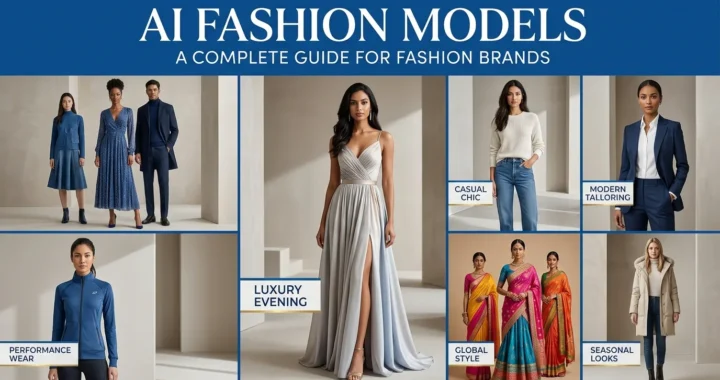
Yes. It works with dresses, shirts, jackets, pants, sportswear, ethnic wear, accessories, and many other fashion categories while maintaining realistic garment behavior.
Can I combine Multi-Pose Generation with other LovPics tools?
Yes. It integrates seamlessly with Apparel Color Switch, AI Creative Director, AI Photoshoot, Smart Image Editing, AI Retouch, Reusable Templates, AI Product Photography, and Bulk Image Export to create complete fashion marketing assets.
Why should I use LovPics for Multi-Pose Generation?
LovPics combines Multi-Pose Generation, AI Fashion Studio, Apparel Color Switch, AI Creative Director, AI Photoshoot, Smart Image Editing, AI Retouch, Reusable Templates, and Bulk Image Export into one AI-powered platform. This enables fashion brands to generate realistic pose variations, reduce photoshoot costs, maintain consistent branding, and create high-quality ecommerce content at scale.
Conclusion
Creating multiple model poses no longer requires multiple photoshoots. With AI, one professionally captured image can become an entire library of marketing-ready visuals.
Multi-Pose Generation enables fashion brands to produce realistic standing, walking, sitting, and custom poses while preserving clothing details, lighting, styling, and overall visual quality. By reducing production costs and dramatically increasing creative flexibility, LovPics helps brands build richer product catalogs, launch collections faster, and create engaging content that drives customer confidence and sales.
As AI continues to transform fashion photography, businesses that embrace intelligent pose generation will be better equipped to scale content production, respond to market trends, and deliver exceptional shopping experiences across every digital channel.